

Hold on, your website got hacked? If I could tell you the number of church and ministry websites that I spend countless hours and trying to restore a working version of their website because it was hacked, I would probably retire early as a multi-millionaire.
Sadly, hacking websites has pretty much existed since the beginning of the Internet. Now with there being more and more church and ministry websites online, there seems to be no shortage of people who have nothing better to do with their time than attempt to break into them.
Most generally the reasons anyone attempts to hack into a website is for no other reason than the inject advertising code to make your website re-direct your visitors to their website. Sadly, oftentimes, this usually ends up being a very sketchy website in nature.
Furthermore, the most common reason for hackers to attempt to gain access to church and ministry websites is directly related to the simple issue that most are not kept up-to-date with the latest version of WordPress core, themes, and most certainly plugins.
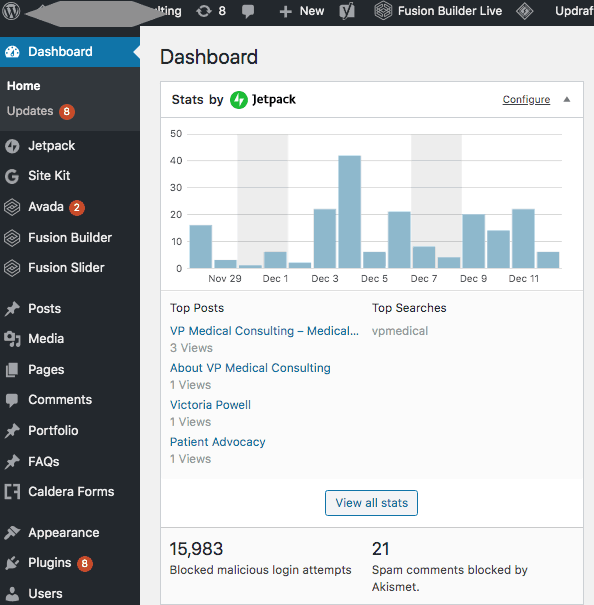
Very simple illustration above of a typical WordPress installation on a website. As you can see in the illustration it indicates that there are 8 updates waiting to be performed. Since this is a client site that our agency services, these have already been updated. However, it is not uncommon for me to log into a church website that has requested my help, only to find that updates have not been formed for months and even sometimes years.
Not only does this present a huge challenge to any developer, but it presents an even bigger security risk that may permit a hacker to easily detect vulnerabilities.
You should make it a practice to log into your existing website at the very minimum of at least once a week to check for and complete any updates that may be waiting on your website.
Almost anyone who is a hacker and is familiar with WordPress and how it operates, also, is aware that the standard login url to get to where they can execute an attempt at logging into your website is very easy, all they need to do is visit yoursite.com/wp-admin and start plugging away.
The very first thing I recommend is for anyone relying upon a self-hosted installation of WordPress is to change the login url to something that is custom. Let’s say something like yoursite.com/custom-login or however you choose to name it. There are several plugins that are available for FREE from the WordPress repository that make this super simple.
You can even download them and install them straight from your WordPress dashboard. All you need to do is search for login url from the add plugins section of your website. There are several that will populate and most are FREE.
Anyone who uses a modern smartphone should already be familiar with 2-factor authentication. If you use anything such as biometrics such as a facial scan, thumbprint, or other security features relies upon it.
If you are using the WordFence Security Plugin, this is actually baked into the features. The way it works is by having a special authentication app on your phone after you have configured it you login to your website with your credentials, then have your authenticator generate a special code to confirm your identity. While some feel this is a pain, I can reassure you that the extra measure of using this will save you countless time and headaches further down the road.
Check out the video below on how to use 2-Factor Authentication by using WordFence.
This has to be one of the biggest culprits that are behind any website going down or exposing itself to possible attacks. Oftentimes I see countless numbers of outdated plugins that are no longer being supported nor updated by the original developer. This can even apply to themes as well.
If a plugin or theme is no longer being updated by the developer, it is certainly time to look into another plugin, which is actively being maintained and updated on a regular basis. This would apply to themes as well. Trust me, it’s a full-time job just keeping up with this end of things.
Furthermore, it will go a long way in helping to prevent any malicious code from being injected into your website.
I realize that churches and ministries oftentimes are operating on a tight if not very limited budget. However, your website hosting provider certainly should not be one of those areas that are subject to constraints of going down the path of cheap website hosting.
I don’t want to get into directly pointing out any of the bad guys in the hosting industry, however, if you are only paying say around $3 a month for your church’s website hosting, there is a very real possibility that it is on a shared environment and you are opening yourself up to large issues in the future.
The average for solid hosting ranges between $15 and $35 a month, depending on your actual needs and size of your website.
How many of you have come across a version of a paid theme or plugin that is on a knockoff website indicating it is FREE. Turn the other way and run!
There’s a very large probability that the author of any of those has already coded the theme or plugin with malicious coding that can destroy your website, not to mention they are stealing it from the developer. That’s just bad juju fixing to happen there.
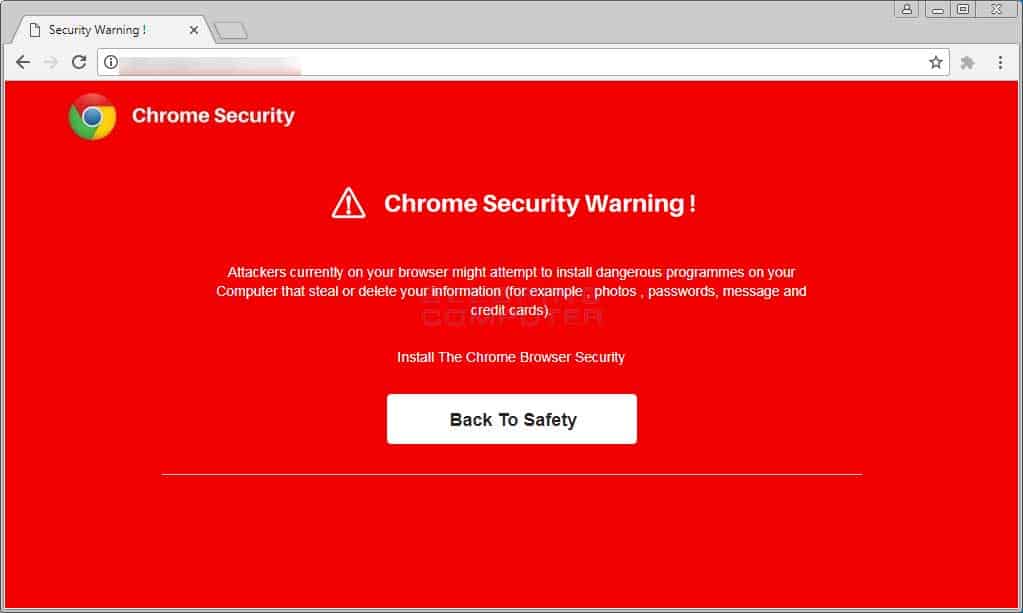
Not only is securing your website an absolute must to prevent would-be hackers from destroying your site, but it also prevents your site’s visitors from potentially being exposed to coding that may infect their computer or smartphones.
There’s nothing worse than someone coming to visit your church or ministry website and seeing this displayed…..
I know it can seem somewhat overwhelming at times trying to stay ahead of the game when it comes to online security and privacy, however, it the world we live in, if you want to be effective at delivering and communicating the Gospel message across the Internet, it is your responsibility to do it in a way that protects you and your site’s visitors.
Site Designed & Hosted by Ark Web Design
